Find your starting point.
Begin with the foundations or take an adaptive course check. When there’s enough evidence, it suggests a starting milestone and opens earlier vocabulary for practice.
Lessons & review
Start where you are, then build from your answers. Loquus helps you work on difficult words, revisit what you have learned, and make room for the next step.

6
Ways to review: from flashcards to weak spots
4
Practice mixes you can switch any time
35+
Chapters on every course journey
Take a look inside
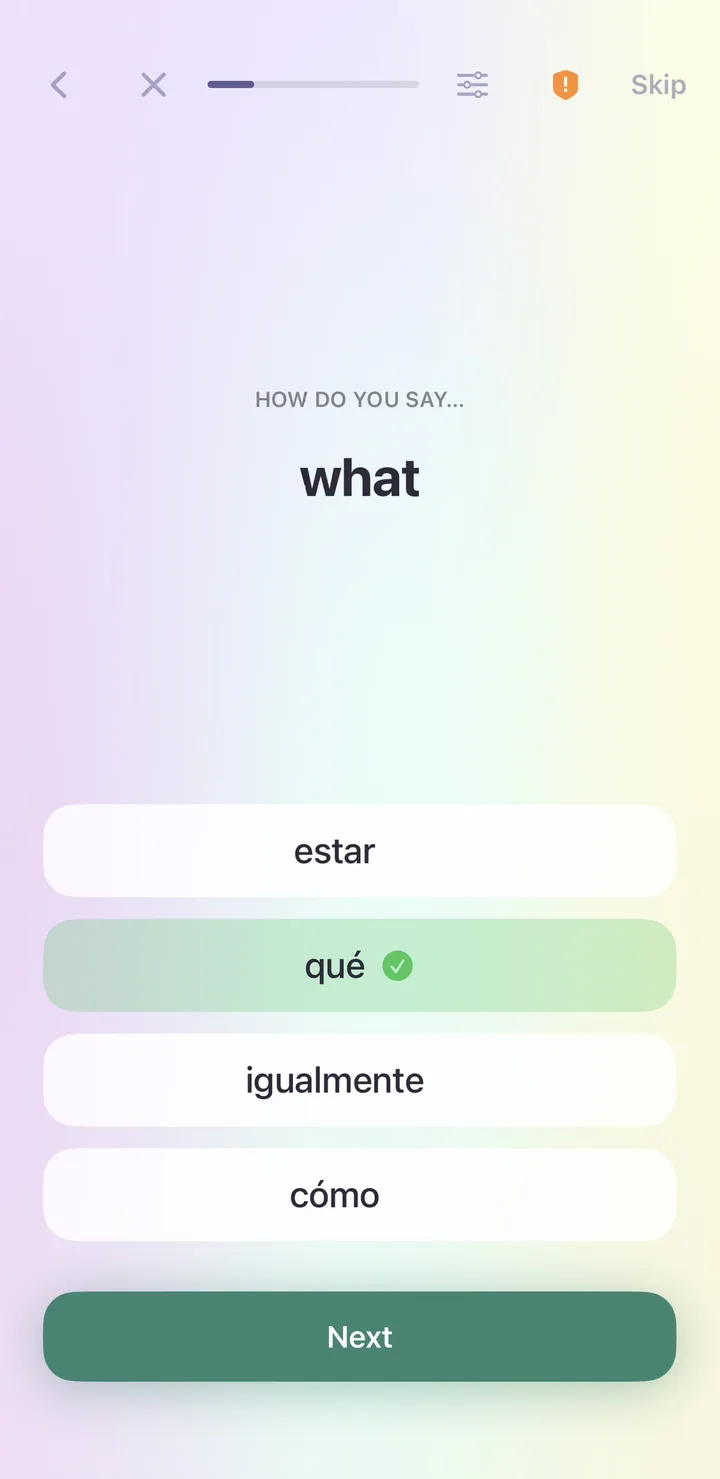
Real screens from the Spanish course: a new word, a lesson question, your personal word bank, the Practice tab and the chapters ahead.
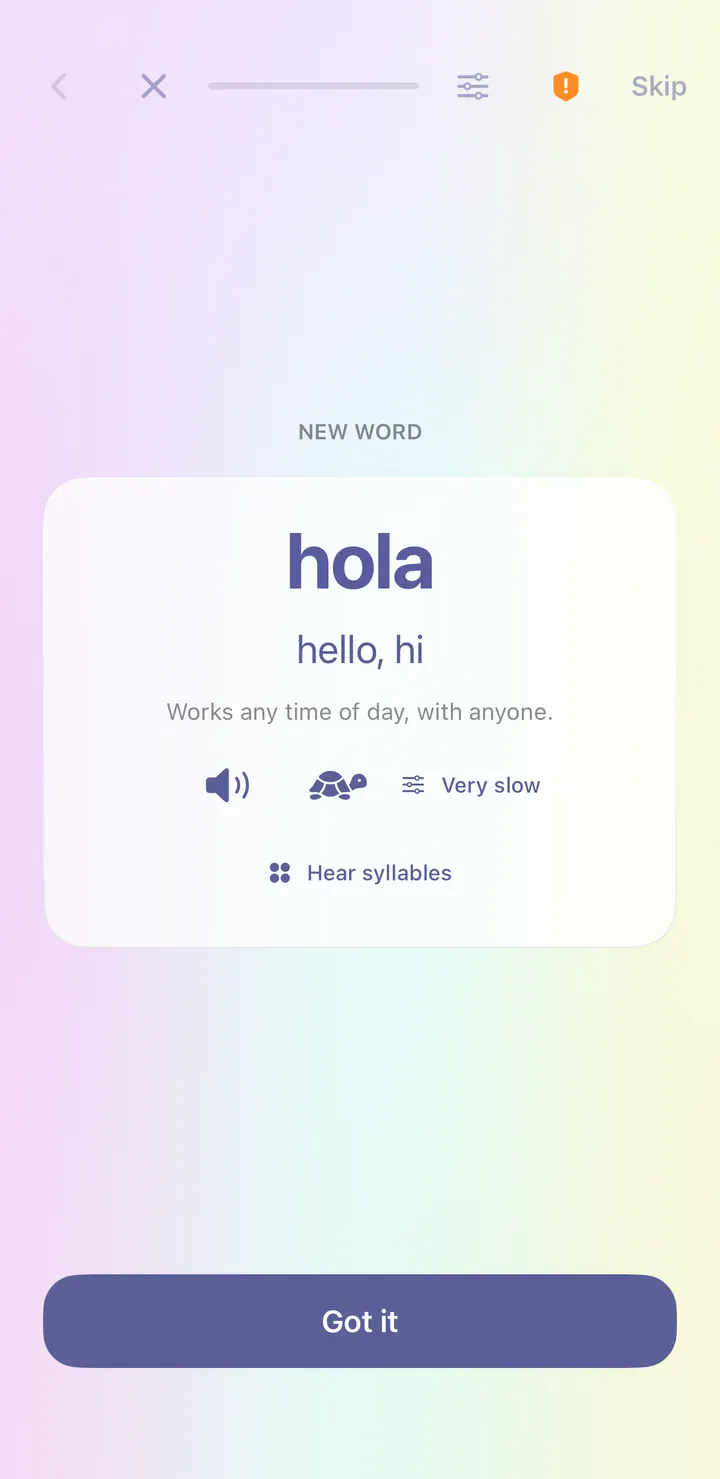
Each new word gets its own card before any question about it: the word, its meaning, audio at normal or very slow speed, and a note on when to use it. In Spanish you can also hear it syllable by syllable.
Lessons mix new words with quick questions like this one: see the meaning, choose the word. Controls at the top let you change the challenge or the pace, or skip what you already know.
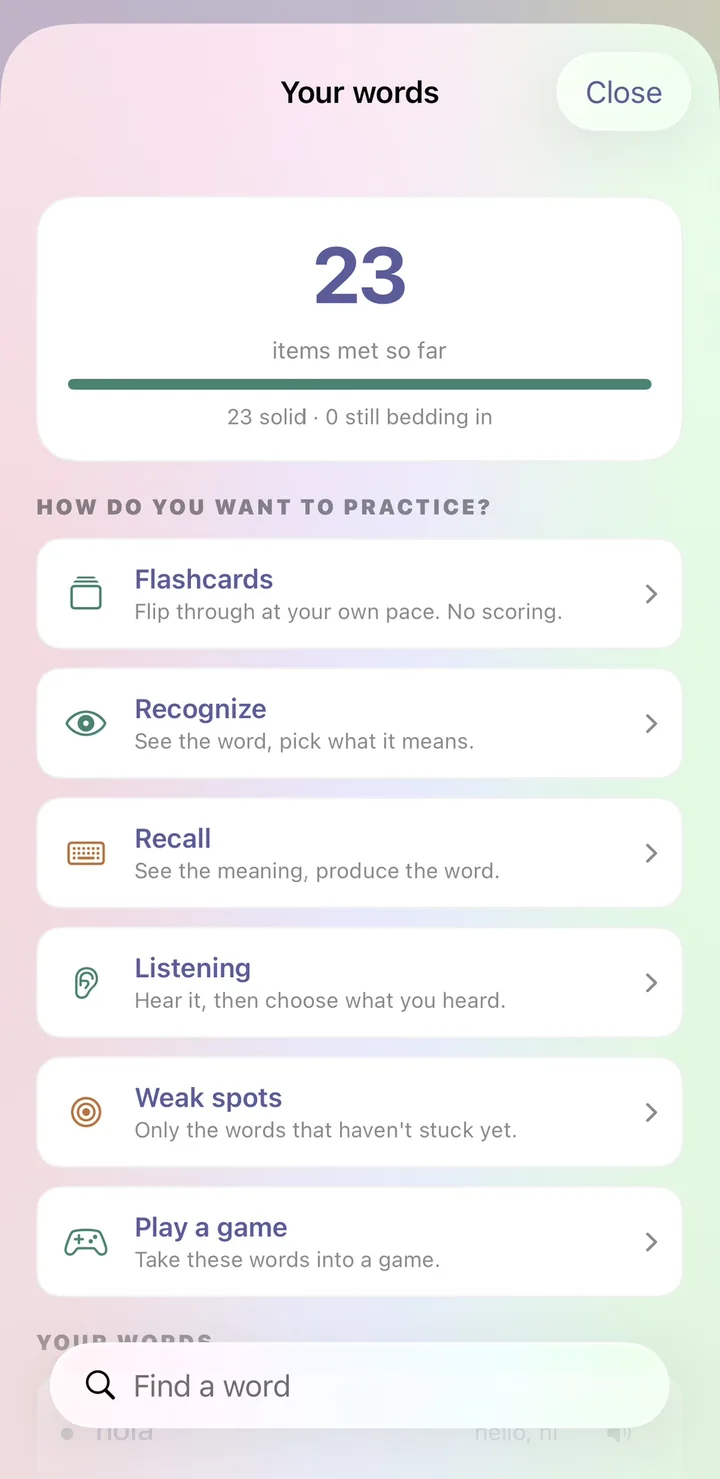
Every word you meet collects in Your words. Flip flashcards with no scoring, recognize or recall each word, practice listening, focus on weak spots, or take the words into a game.
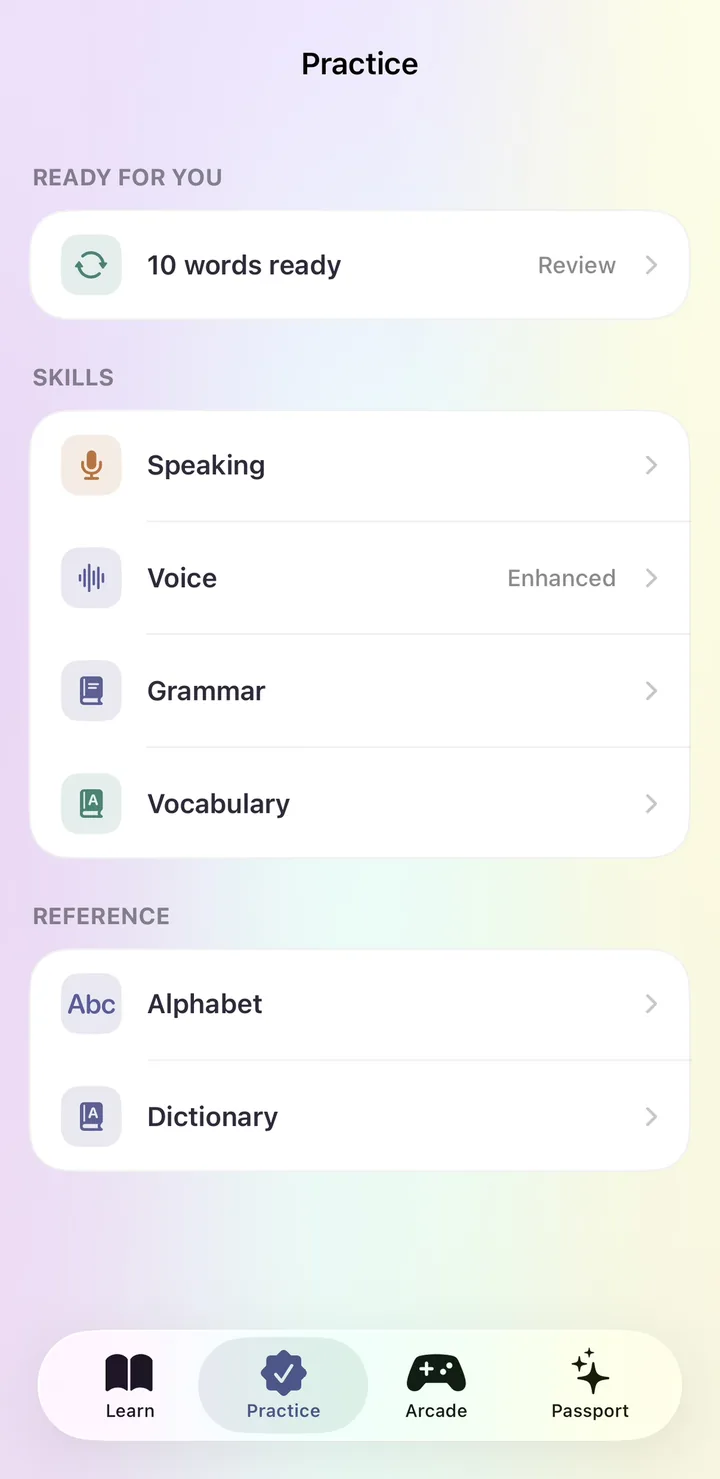
The Practice tab tells you how many words are ready for review. Spaced review brings back missed words sooner and gives reliable ones more room.
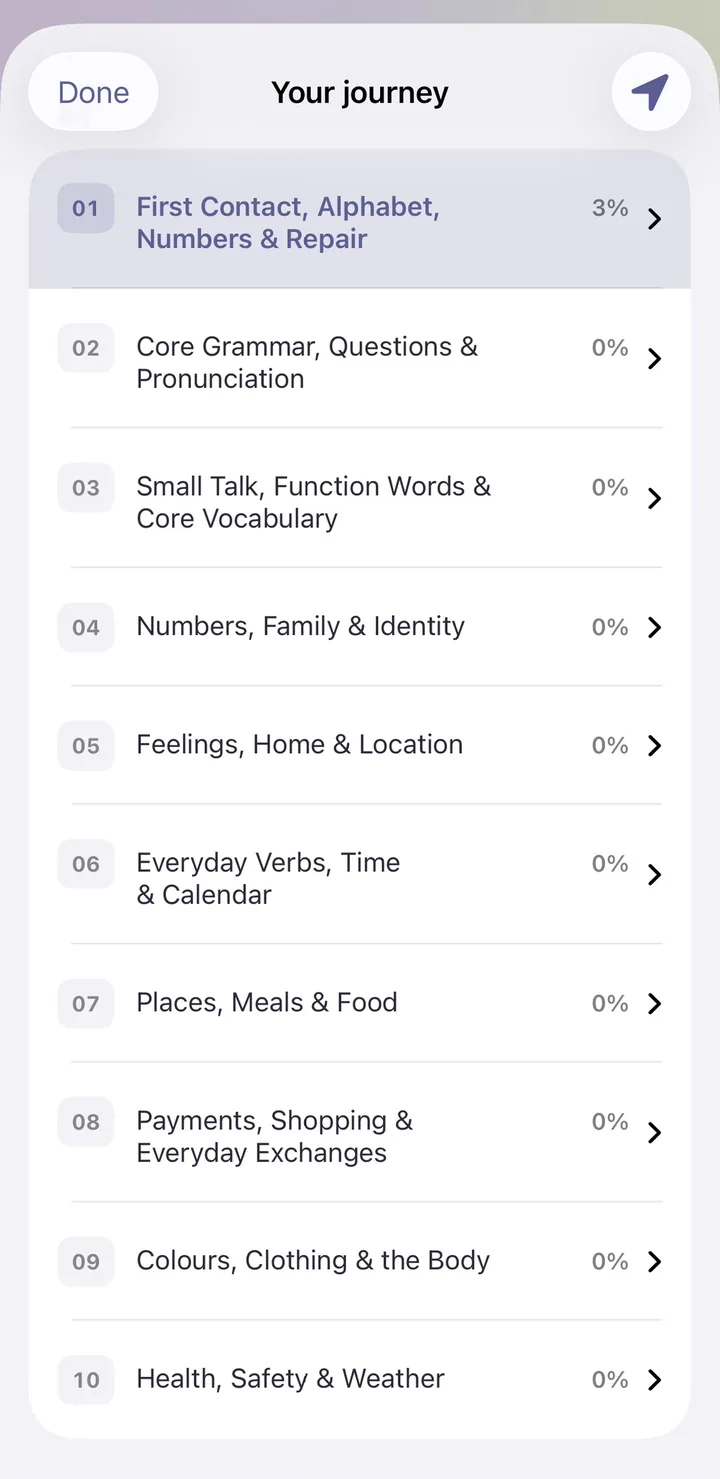
Your journey lays out every chapter in order with your progress in each. The Spanish course runs from first contact at A1 all the way to C2.
See spaced review at work
Answer for each word and watch what happens next. Words you recall reliably wait longer before they come back. Words you miss return sooner. The app uses your real answers to do the same.
Review soon
Back later
Much later
Resting for now
In the app, every word you learn is scheduled this way, automatically.
Get Loquus freeWatch it in action
Begin with the foundations or take an adaptive course check. When there’s enough evidence, it suggests a starting milestone and opens earlier vocabulary for practice.
Ear First emphasizes listening. Eyes First favors reading and writing. Drill Mode focuses on repetition. Talk First brings conversation forward. Change your preference as you learn.
Too easy? Too hard? Going too fast? Use the lesson controls to adjust the challenge and pace, or ask to see an example.
More than a starting level
Loquus uses your answers to see what is sticking and where you need another try. Those patterns guide review priorities and the balance of familiar and new material.
Spaced review gives words you remember reliably longer gaps between practice. Missed words return sooner. When you need more support, adaptive practice can favor review and introduce fewer new words.
You still have a say. Choose your practice emphasis and use lesson controls to adjust the challenge, slow down, or see an example.
Try your own learning pathYour personal word bank
Review one milestone or words from across your journey. Choose flashcards, recognition, typed recall, listening, or focused work on weak spots.
A quick check tests words you’ve learned and shows what you missed, so your next practice has a purpose.
See how progress comes togetherIt checks foundations and then adapts through course material. It may recommend a starting milestone or ask you to begin with the basics. This is a course placement guide, not a fluency certificate. Opening earlier material does not mark it mastered.
In the app, free access includes three lesson starts daily across languages, standard course lessons, vocabulary review, and reference tools. Plus removes the daily start limit and adds section reviews, capstone lessons, and the Arcade. Check the app for current pricing and included features.
It uses your answers. Words you recall reliably wait longer between reviews, and words you miss come back sooner. When you need more support, practice can lean toward review and introduce fewer new words.
14 languages. Your next step.
Follow our guide to install Loquus and start learning.