Start with a situation.
Browse greetings, travel, dining, shopping, work, and other everyday moments. Find useful course phrases without waiting for a lesson to unlock them.
In the Loquus app / Phrasebook
The greeting. The question. The words that keep a conversation going. Find a phrase, listen to it, and try it yourself.
Included in free access
Try Loquus in beta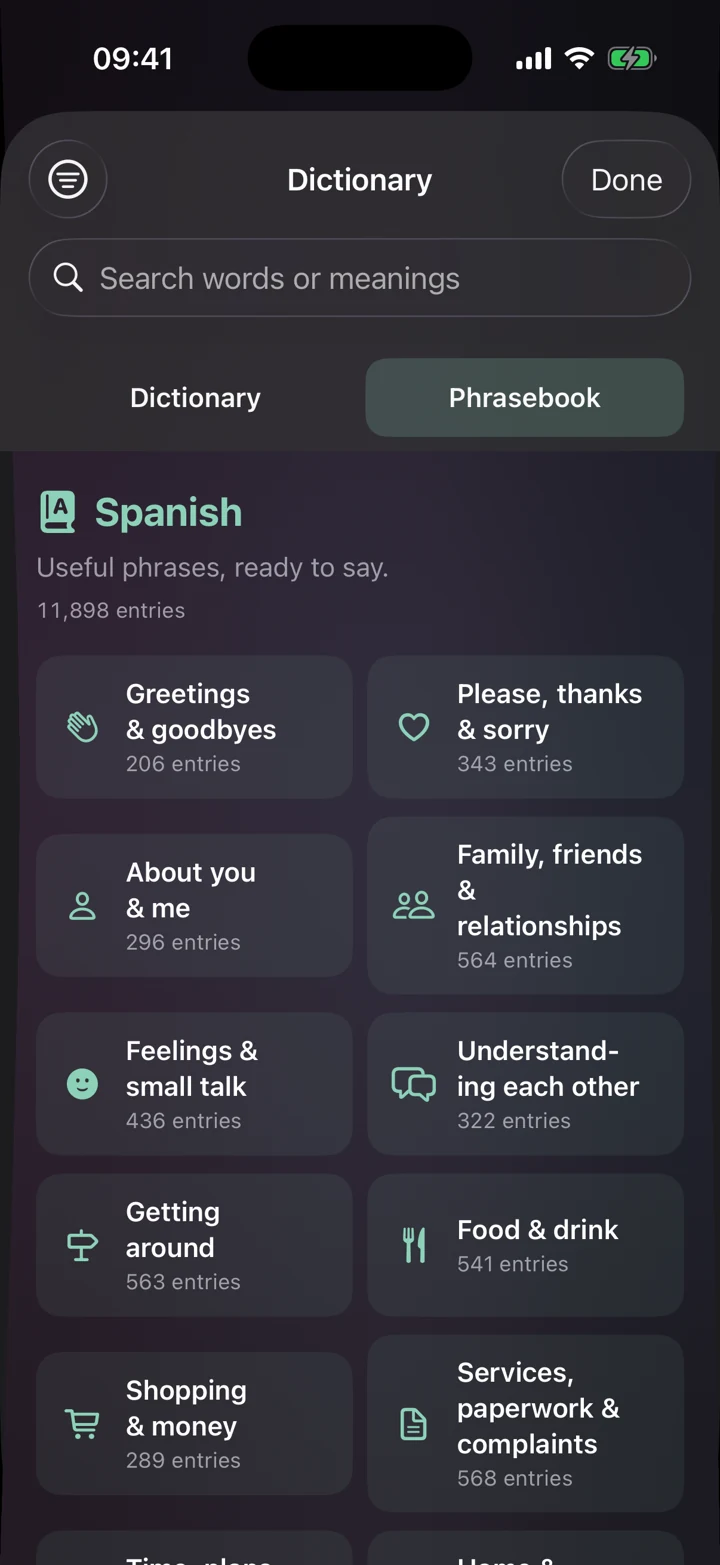
Browse greetings, travel, dining, shopping, work, and other everyday moments. Find useful course phrases without waiting for a lesson to unlock them.
Hear the whole phrase, then use slow playback to catch its sounds and rhythm. Replay as often as you need.
Search meanings and explore the examples and guidance available for an entry. Keep the Dictionary and Grammar Center close when you want to go deeper.
Yes. Browsing and listening to phrases are part of free access and never use one of your three daily lesson starts. You can explore your course’s phrases before you reach them in a lesson.
Open the Practice tab, tap Dictionary under Reference, and switch to the Phrasebook tab. It opens on a grid of situations, such as getting around or food and drink, and tapping one shows just its phrases.
Yes. Every course’s Phrasebook has a section for health and emergencies. You’ll also find sections for understanding each other, such as asking someone to repeat or slow down, and for services, paperwork, and complaints.
Yes. The Phrasebook and Dictionary are stored in the app, so you can browse and search them without a connection. Audio plays through voices installed on your device, so check Voice in the Practice tab before you travel.
14 languages. Your next step.
Follow our guide to install Loquus and start learning.