See more than a streak.
Follow your daily goal, practice rhythm, sessions, and course milestones. See where your routine is taking shape and where you want to spend time next.
Learn & speak / Your Passport
The words that come back to you. The milestone you reached. The days you made time. Your Passport brings your learning journey into view.
Included in free access
Try Loquus in beta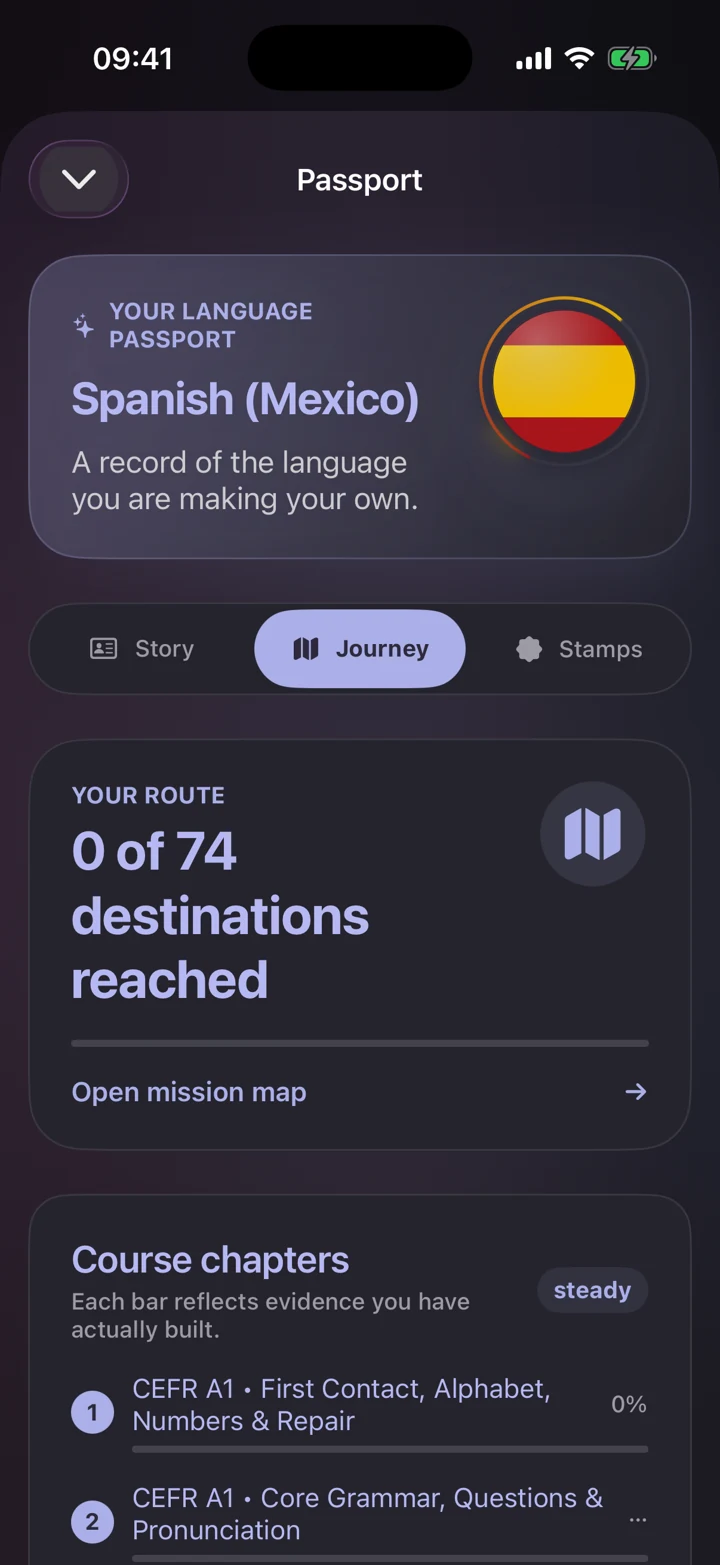
Follow your daily goal, practice rhythm, sessions, and course milestones. See where your routine is taking shape and where you want to spend time next.
Explore the difference between recognizing words, understanding them, recalling them from memory, and using them in conversation.
Track completed “I can…” goals and earn private Passport stamps through learning. Keep a record of the steps that matter to you.
A routine that fits real life
Choose a daily goal and set an optional practice reminder. You can switch languages and come back to each course’s progress.
Your learning data stays under your control: export a private backup, import it when needed, or reset an individual course. Backups are manual; there is no automatic sync between devices.
Find your next practiceWhen you first set up Loquus, you can pick a daily goal of 5, 10, 15, or 20 minutes for the course you choose. Your Passport then shows today’s practice minutes against that goal. You can also turn on Daily reminder in Settings, and it stays quiet on days you’ve already practiced.
Every seven days in a row earns a streak shield, and you can hold up to two. If you miss a single day, a shield covers it automatically when you finish a lesson or review the next day.
Each course has 120 stamps in 12 families of ten, such as Rhythm, Keen ear, Brave voice, and Conversations. They record real learning, never app opens, rankings, or points, and only you can see them.
Yes. In Settings, which opens from the gear on your Passport, Export learning data saves a private backup file with all your courses. On the other device, Import learning data replaces the courses in that file and leaves any others untouched.
14 languages. Your next step.
Follow our guide to install Loquus and start learning.