Search the way you think.
Search course words, English meanings, or romanization. Lookup in your own language is also supported where Apple translation is available.
In the Loquus app / Dictionary
Find more than a definition. Hear the word, explore its forms, and see how it belongs in a sentence. You can look it up before you reach it in a lesson.
Included in free access
Try Loquus in beta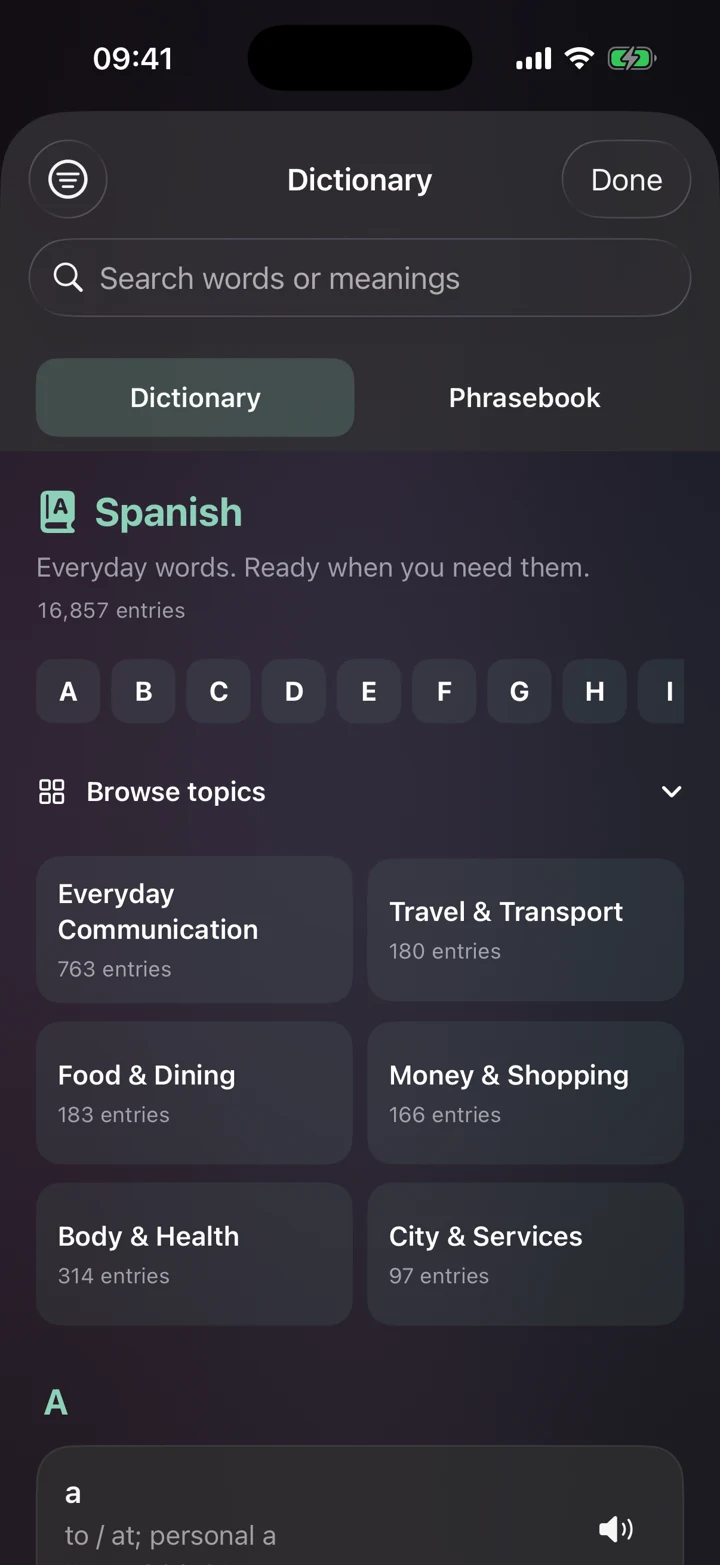
Search course words, English meanings, or romanization. Lookup in your own language is also supported where Apple translation is available.
Browse alphabetically or by topic: everyday communication, travel, food, shopping, work, and more. Course vocabulary is available from day one.
Play normal and slow audio. Explore available example sentences, usage guidance, related forms, and word families to understand more than a translation.
One thought, different forms
When an entry includes related forms or usage notes, you can see the connections without piecing them together yourself. Then head to the Phrasebook for a useful expression or Grammar Center for the pattern behind it.
Entry details and translation support vary by word, language, and device.
Yes. Find it under Reference in the Practice tab. Looking up words is part of free access and never uses one of your three daily lesson starts or changes your course progress.
Yes. Browsing the Dictionary lists words, and the Phrasebook tab on the same screen groups phrases by situation. When you search, the Dictionary also finds matching phrases and example sentences.
No. A search without accents still finds the word, so cafe finds café. You can also search by English meaning or, in courses written in another script, by romanization.
Yes, when the app is set to your language. On iPhone and iPad, if Apple translation supports your language, Loquus uses it on your device to turn your search into English and match it to course entries. Your first search may need a language download.
14 languages. Your next step.
Follow our guide to install Loquus and start learning.