Japanese brings together a new writing system and ways of arranging a sentence that may be unfamiliar. Loquus gives you lessons, audio, and reference tools to explore them together. Start with a few useful words, then take time to look at how they are written and used.
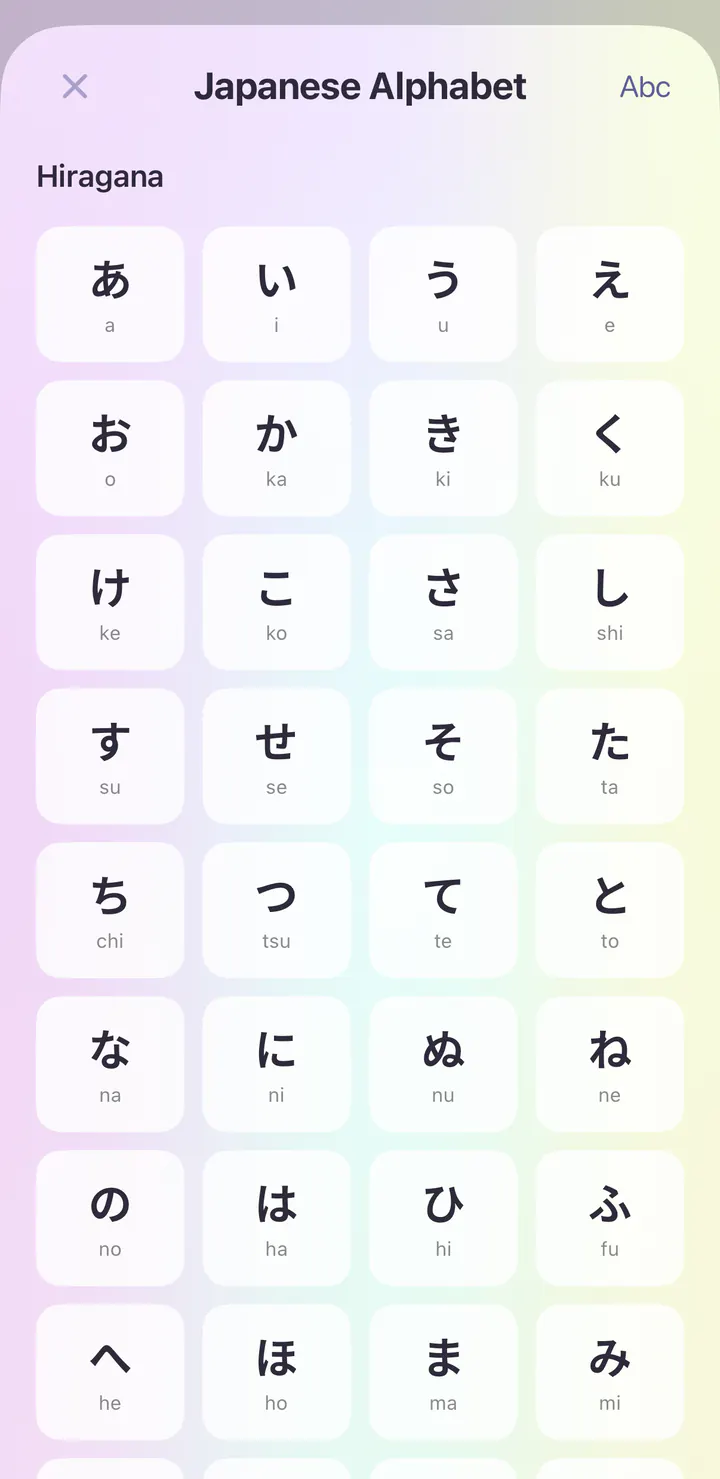
Japanese writing uses hiragana, katakana, and kanji. The alphabet reference offers a place to explore the course's character material and hear examples. When you meet a word, connect its written form with the reading and audio instead of trying to learn the spelling on its own.
02
Notice the small words
Particles help show how the parts of a Japanese sentence relate to one another. Use Grammar Center to explore a pattern and read its examples. Take a short phrase you are learning and notice what comes after each word as well as the words themselves.
03
Read the situation as well as the words
Japanese wording changes with context and the relationship between speakers. Browse Phrasebook expressions with the situation in mind, and listen to how a whole reply sounds. Guided conversations offer a place to work with authored exchanges, replay the audio, and try an available response.
35
Chapters on your journey
72
Grammar Center topics
56
Authored conversations
See it in the app
The Japanese course, on iPhone.
Real screens from the first day of the Japanese course in the iPhone app.
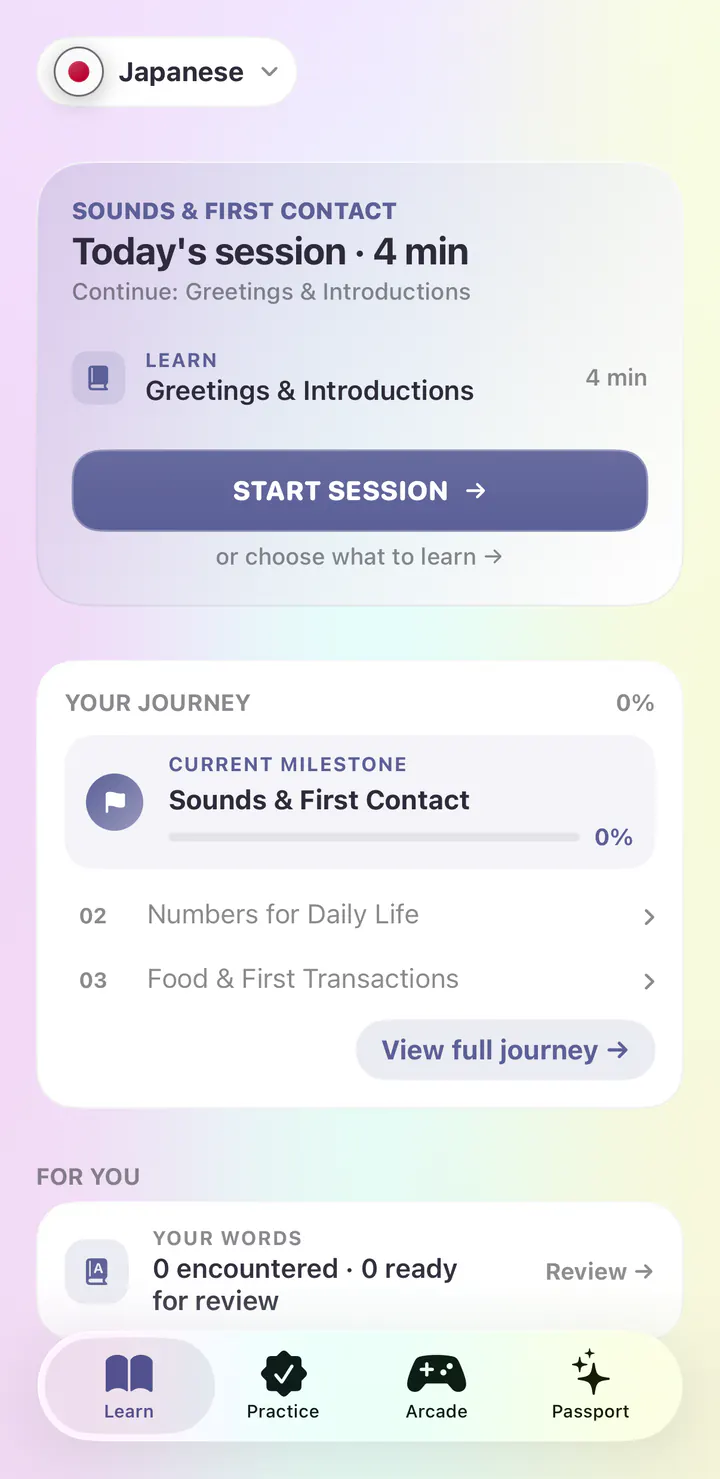
Your first session is ready.
Open the app and today’s session is waiting. The Japanese course begins with Sounds & First Contact, and the first lesson is Greetings & Introductions.
A short session, planned for you
Your journey and next milestone below
Or choose any lesson yourself
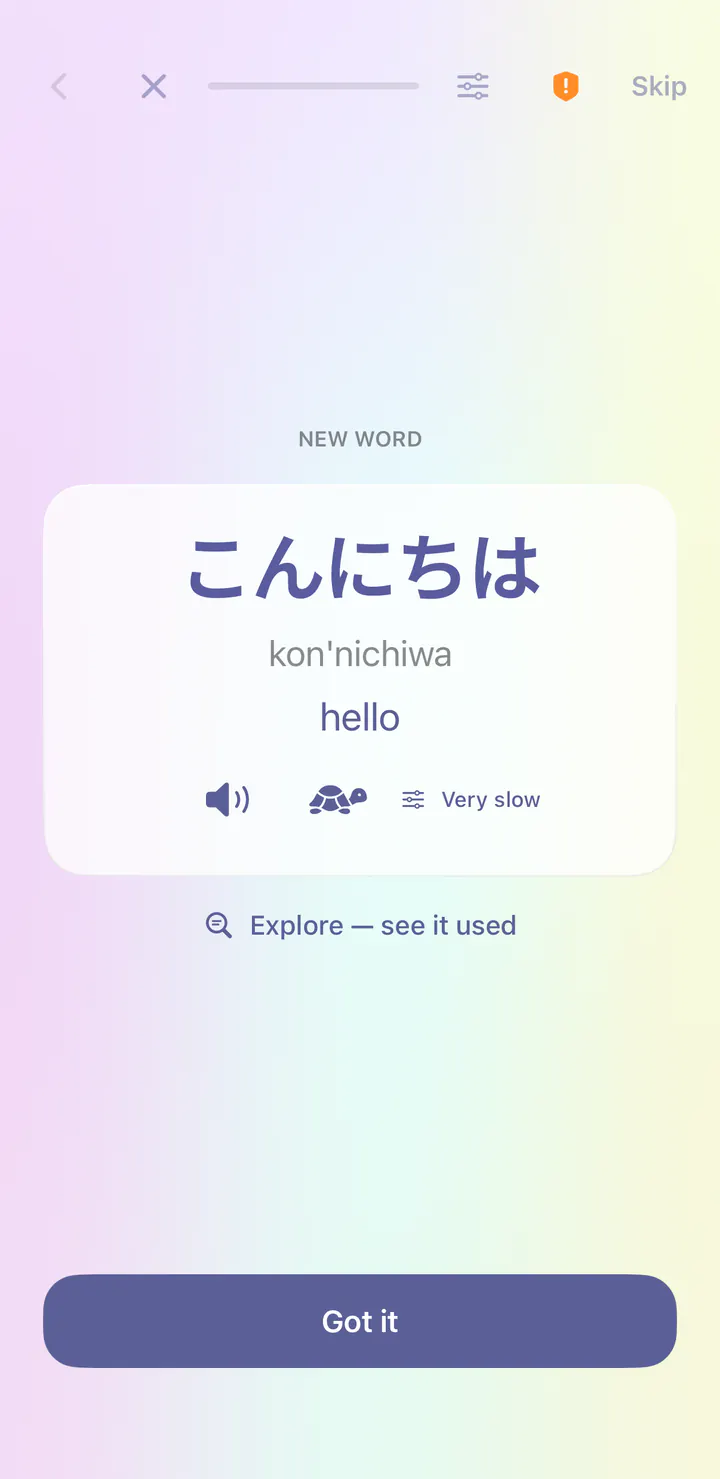
Every word gets its own card.
Your first word is こんにちは (kon'nichiwa), meaning hello. Each new word comes with its meaning and audio at normal or very slow speed, plus a reading in Latin letters.
Normal and very slow audio
A reading in Latin letters
Notes when a word needs them
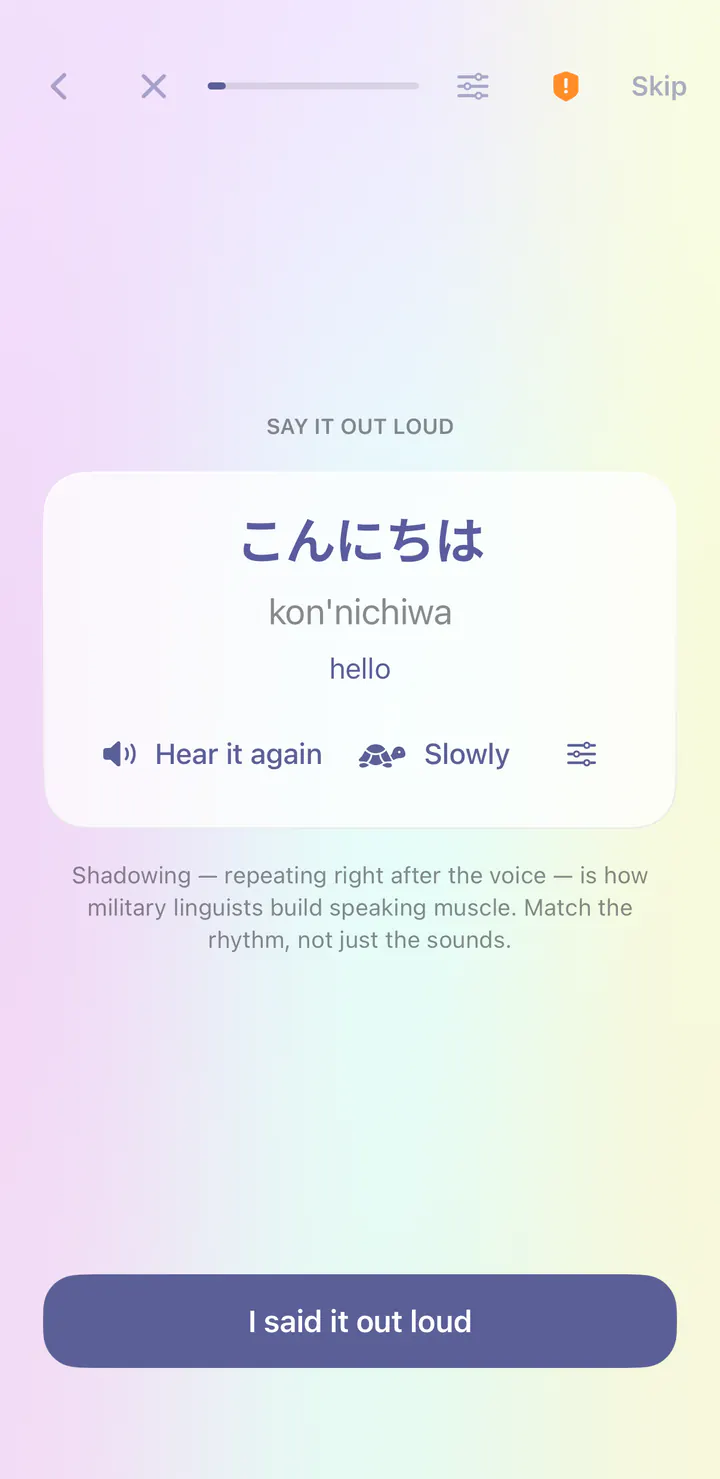
Then say it yourself.
Right after a new word, you repeat it after the voice. This is called shadowing, and it builds speaking habits from your very first lesson.
Hear it again, or slowly
Match the rhythm, not just the sounds
Tap when you have said it
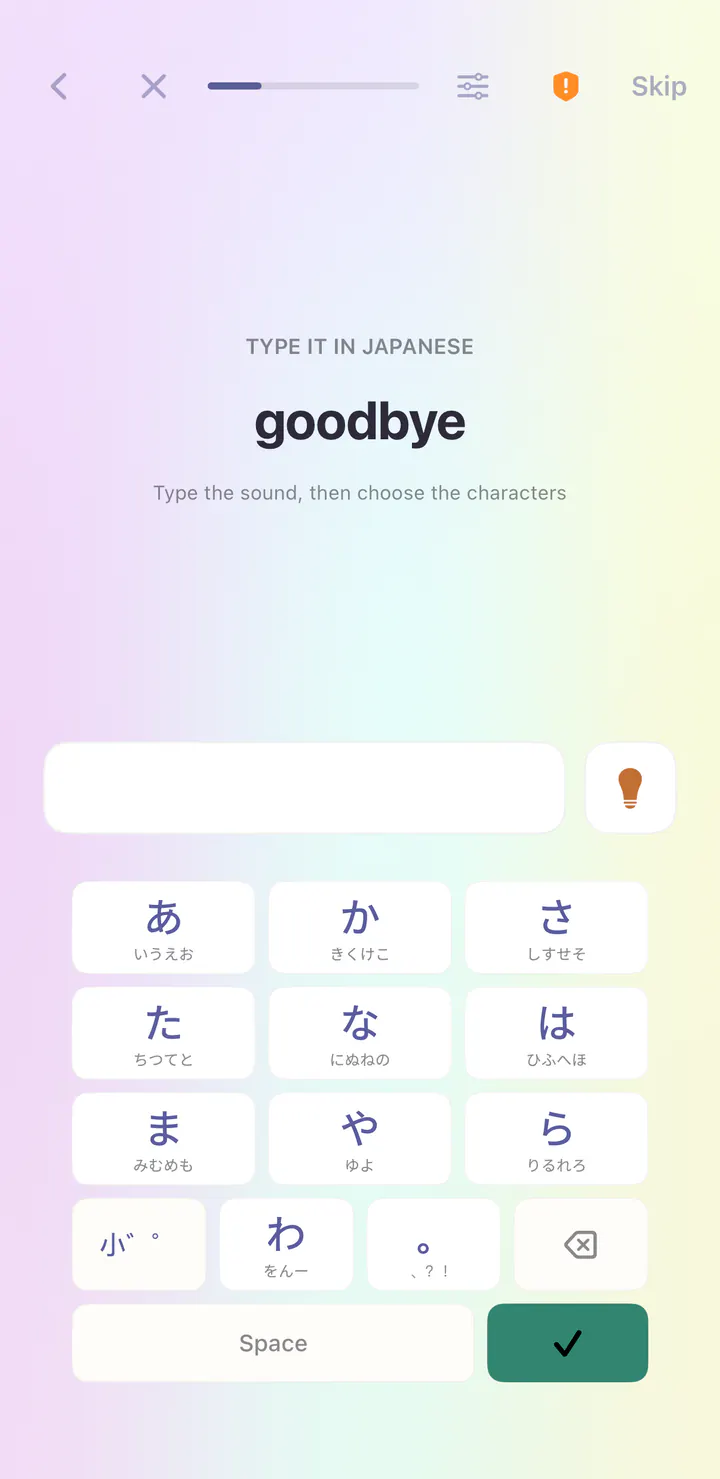
Write Japanese from day one.
Typing steps bring their own keyboard, so you can write Japanese before you add a keyboard to your phone.
A keyboard built for the lesson
A hint when you need one
Spelling practice as you learn
Writing and sounds, one tap away.
Explore the course’s writing and sound reference. Tap an entry to hear it.
Letters and sounds in one place
Tap any character to hear it
Free with every course
A first taste
Your first words in Japanese.
Tap a word to hear it, at normal speed or slowly.
こんにちはkon'nichiwaHello
ありがとうarigatouThank you
おねがいしますonegai shimasuPlease
さようならsayounaraGoodbye
Your path
The first chapters of the Japanese course.
The full course has 35 chapters. Your journey shows your progress in each one.
01Sounds & First Contact
02Numbers for Daily Life
03Food & First Transactions
04Everyday Conversation
05Time, Plans & Directions
06Sentence Foundations
Grammar Center
72 Japanese grammar topics.
A few of the topics you can open anytime, before or after you reach them in a lesson.
Start Here: A Reading Order
Word Order: The Verb Comes Last
Topic, Comment and What Japanese Leaves Out
The Copula です and だ
What a Particle Is
Pronouns, Names and Leaving Things Out
Alphabets & sounds
Hiragana
Tap an entry to hear it. Explore the writing and sound references included in this course.
In the app, start with three free lesson starts a day. Reference tools are included in free access. Loquus Plus adds unlimited lesson starts, section reviews, capstones and Arcade games.
14 languages. Your next step.
Your next chapter starts here.
Follow our guide to install Loquus and start learning.